Turning Dashboards Into Decision-Makers
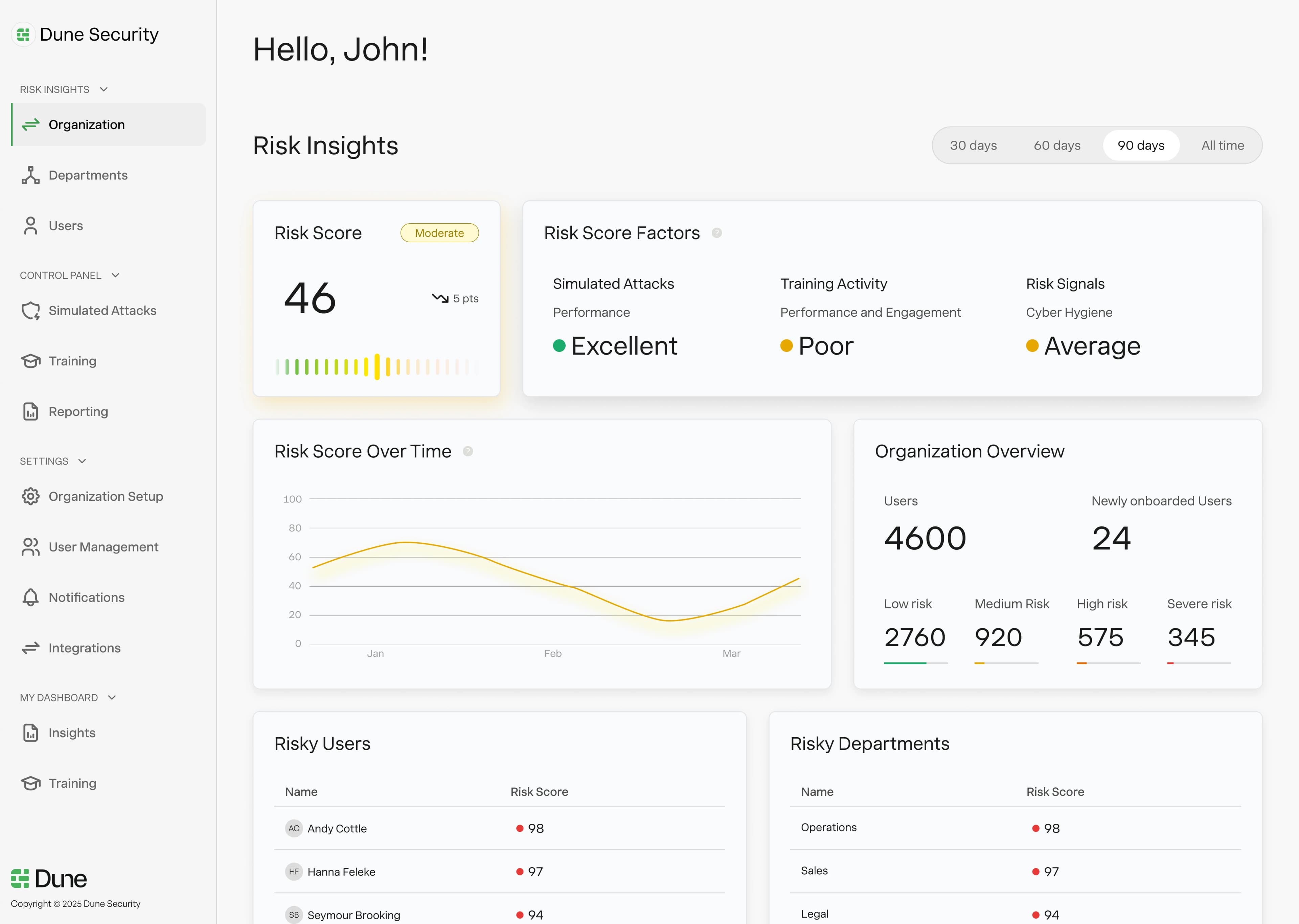
Most security products surface information and leave decisions to overloaded humans. I designed a system that takes action automatically.
Dynamic Workflows wasn't just a feature. It was a strategic pivot that transformed Dune from "risk reporting" to "User Risk OS." I identified the opportunity, built the business case, and designed a system that became our primary competitive differentiator.
"If the system knows who's risky, why isn't it doing more?"
After redesigning Dune's risk model and experience, this question kept surfacing in customer conversations. I recognized it as a strategic opportunity, not just a feature request.
The market was crowded with dashboards. Nobody was doing automated remediation well.
Quantifying the opportunity
I used customer research to build the case for making workflows our next major investment.
Hours/month spent manually following up on high-risk users
Of high-risk users never received intervention due to bandwidth
Competitors offering meaningful automation
This became the foundation for roadmap prioritization. Workflows jumped ahead of planned features because the strategic upside was clear.
Powerful enough to matter, safe enough to trust
I interviewed security admins and CISOs about their current workflow when they spotted a high-risk user. The same themes emerged:
"By the time I act, it's too late"
Manual review cycles meant high-risk users could go weeks before anyone intervened. Attackers don't wait.
"I can't scale this process"
What works for 100 users doesn't work for 10,000. Security teams needed force multiplication, not more headcount.
"I'm nervous about automation"
Past experiences with aggressive automated systems made admins wary. They wanted control, not a black box.
Workflows as policies
I designed workflows as if/then rules that security teams define once and the system enforces continuously. A workflow answers three questions:
Who does this apply to?
What should happen?
Who needs to know?
Example Workflow
"If a user has high business impact AND fails multiple phishing simulations → restrict their IAM access, assign targeted training, and notify their manager."
Previously required a human to notice, investigate, decide, and act. Now it happens automatically, consistently, at scale.
Preview, Protect, Prove
Automation in security is high-stakes. Users needed to trust the system before they'd turn it on. I designed around three principles:
Preview
Before any workflow goes live, users see exactly how many people would be affected and who they are. "Wait, that's hitting the entire finance team" is something you want to catch before activation.
Protect
Guardrails prevent workflows from doing too much damage: rate limiting, escalation tiers for serious actions, easy rollback, and exclusion lists to protect specific users.
Prove
Every action is logged. Admins can see exactly what the system did, when, and why. This audit trail serves compliance needs and builds confidence. Nothing happens in the dark.
From dashboard to platform
Before Workflows
- →"Another security dashboard"
- →Feature parity with competitors
- →"See your risk data"
- →Sold on training value
After Workflows
- →"User Risk OS": measures, decides, AND acts
- →Clear competitive differentiation
- →"Reduce risk automatically"
- →Sold on platform value, larger contracts
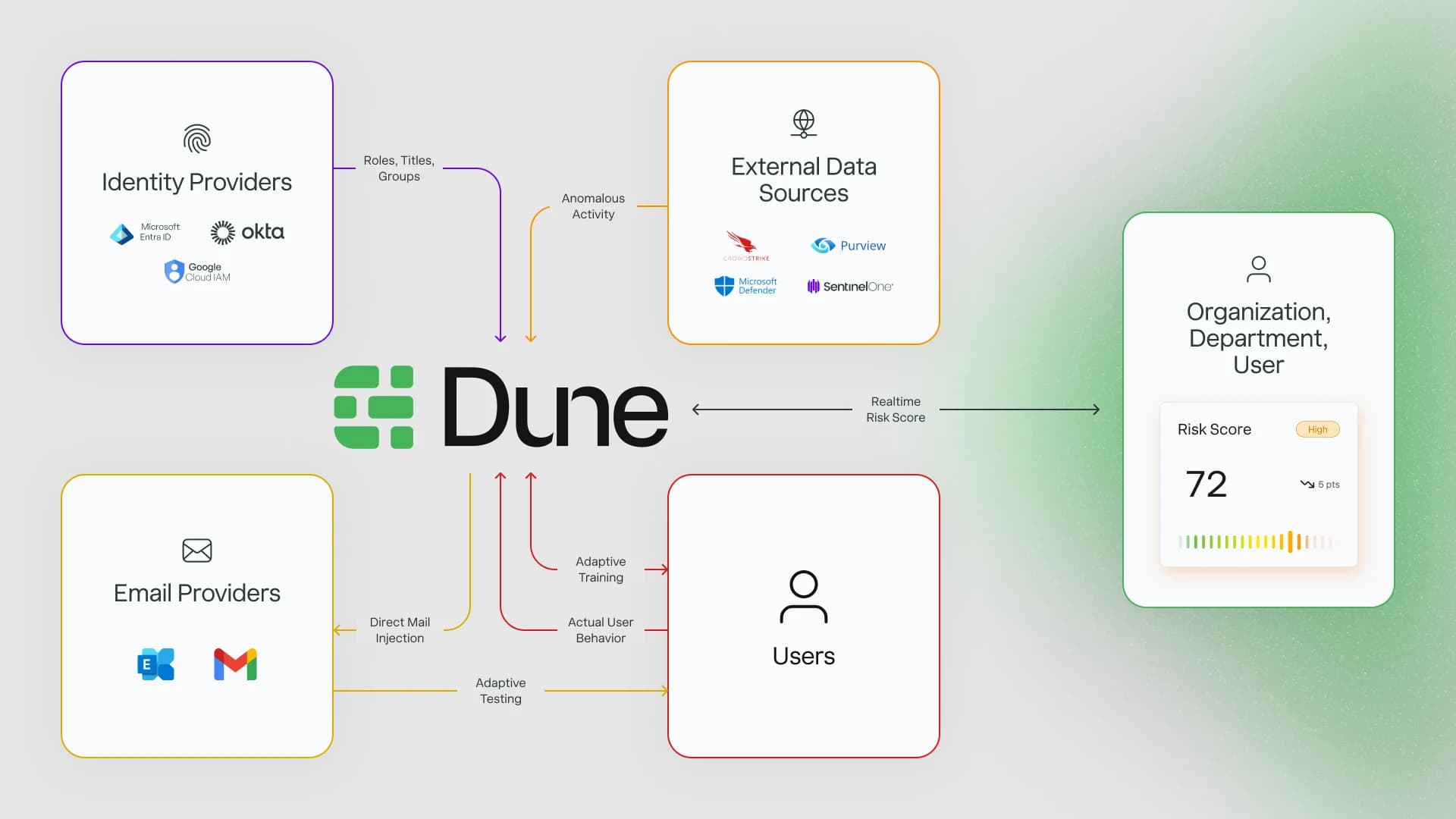
This wasn't a feature I was asked to design
I drove this from insight to implementation:
Identified the opportunity through customer research
Built the business case and presented to leadership
Drove prioritization over other planned features
Shaped the GTM strategy — worked with sales on positioning
Designed the implementation — from strategy through final UI

What I learned
Features can be strategy
Workflows wasn't just a product feature. It was a strategic repositioning of the entire company. Recognizing when a design opportunity is actually a business opportunity is what separates feature work from product strategy.
Design for the sales conversation
I spent time understanding how our sales team pitched, where they lost deals, and what competitors said. Workflows was designed to give sales a differentiated story.
Automation needs to feel controllable
Users don't trust magic. They trust tools they can inspect, adjust, and override. Preview, Protect, Prove addressed the #1 objection in sales calls.
Own the outcome, not just the output
I tracked activation rates, gathered feedback, iterated on templates, and worked with customer success. At the leadership level, you're accountable for whether the work succeeds, not just whether it ships.
Next Project
Risk Platform →